

I connected Claude directly to a Salesforce org using the Model Context Protocol (MCP). It took an afternoon to set up and it immediately changed how I think about what AI can do inside a CRM.
Why I wanted to do it
Salesforce is where business data lives – leads, accounts, opportunities, activities. Claude is where reasoning happens. Connecting the two means you can ask plain English questions and get answers grounded in real data, draft follow-up emails with full context, summarise account history before a call, or build reports without touching the report interface or SOQL. The MCP integration makes Claude an active participant in your Salesforce workflow, not just a chatbot you switch to in another tab.
The setup in brief
Salesforce exposes an MCP server through its API Catalog (Spring 26 release). You authenticate via OAuth using an External Client App (Connected Apps creation is restricted as of Spring 26), configure the OAuth plugin, and point your MCP client, in this case, at the server URL. The auth callback URL must be ‘https://claude.ai/api/mcp/auth_callback’. Give it five minutes after saving before testing, and make sure PKCE support is enabled and IP restrictions are relaxed, otherwise the OAuth flow will silently fail.
The security risk you need to understand
This is the part most tutorials skip. When you connect Claude to Salesforce via MCP, you are granting an AI model direct read (and potentially write) access to your production CRM data. Every query Claude runs, every record it touches, happens under your OAuth token – with your permissions.
The risks are real:
- Data exposure. Claude processes record content to answer your questions. That content leaves your Salesforce instance and goes to Anthropic’s API. If your org holds sensitive personal data, healthcare records, or financial information, you need to check whether that is permitted under your compliance obligations.
- Prompt injection. A malicious actor could craft a lead name or opportunity description that contains instructions aimed at manipulating Claude’s behaviour – for example, directing it to export data or take unintended actions.
- Broad token scope. OAuth tokens often carry more permissions than necessary. Scope your External Client App to the minimum required and prefer a dedicated integration user over your admin account.
None of this means don’t do it. It means do it deliberately, with a test sandbox first, with a scoped user, and with a clear understanding of what data Claude will be touching.
The result
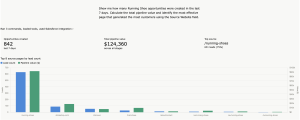
Once it is running, it is genuinely impressive. Claude can answer “which opportunities have had no activity in 30 days” or “summarise the last three interactions with a specific client” without you writing a single query. For anyone who spends time in Salesforce, it reduces friction in a way that quickly feels indispensable.
Just go in with your eyes open about the security model.