
Web developer playing with clouds, LAMP, Symfony, JavaScript. Currently working as a Salesforce developer as part of the Taylor & Hart team.
Kik Minev
01.

Hey there, I'm Kik Minev - web developer playing with clouds, LAMP, Symfony, JavaScript, Salesforce Apex. Currently working as a Salesforce developer as part of the Taylor & Hart team.

Why Salesforce? Pivoted to Salesforce when my colleagues needed a quick and efficient way to optimize business processes, sales and even manufacturing processes. That’s how I stepped into the Salesforce world, though most of my career has been focused on web with PHP. Strong love for the Symfony framework.

02.

My experience

Taylor & Hart - Salesforce and Symfony developer

Currently working as a Salesforce developer at Taylor & Hart where I help with accelerating business processes in sales and manufacturing. I spend my day mostly writing Apex code and lightning components in Salesforce or PHP/Symfony for web features.

Oxxy - CTO

As part of Oxxy I was leading the team as a CTO. We started and shipped a drag and drop website builder that allows small business owners to launch a website without any coding skills. For my tasks I used the Symfony PHP framework, MongoDB, javascript for the web builder and AWS as an ifrastructure.

Webfactory - Web Developer

At Webfactory I spent my days mostly coding with PHP and Javascript. As part of a web agency I worked on various projects for different clients up until I started working on Protect Your Bubble. Really thankful to the colleagues that gave me the chance to work on this project and helped me develop my skills.

Webfactory / Protect Your Bubble - Team Lead

I became responsible for launching the US web site and lead a team of web developers to deliver and support the project. Duties were a bit different as I needed to work in Atlanta and lead the team overseas. Also, working with a Fortune 500 company has it's perks. Thank you all for the warm welcome in Atlanta!

Digitalus - Web Developer

Digitalus was a hosting company from The Netherlands(later aquired by another company). Here we worked with PHP and Javascript.

SiteGround

Epic times! Great start in the web industry.

03.

What I work with?

Back in the days I started coding websites from scratch using PHP and some custom frameworks. Throughout time I worked with ancient frameworks like CakePHP, Zend and others. Nowadays I mostly work with Symfony. Trying to keep an eye on the Javascript world as well.

PHP
Back in time I started with PHP from around version 4. Usually with Apache and MySQL. These days we run mostly nginx.
JavaScript
The beginings was vanilla and jQuery. Later I worked with Backbone and Angular. Now I try to keep in touch mostly with the React framework.
Symfony
I love how robost Symfony is. The initial steep learning curve is paying off with the projects. During the years I've worked with Symfony for SaaS products, CMS and eCommerce systems.
AWS
My experience with the cloud is in AWS where I mostly use EC2 and S3. I also have some experience with RDS for PostgreSQL. During the years I used EC2 to scale Symfony web projects and MongoDB cluster databases.
Git
Git is what I use for version control. Checkout my GitHub. I use Gitflow in my day to day work.
Docker
For personnal projects I will use Docker to maintain my developement environment. In some companies we also worked remotely, in the cloud. In other companies even with k9s on localhost. Depends on the company;)
Salesforce Apex
In Salesforce I usually work with Apex code to develop new features. It shares the Java syntax and object-oriented features, but it's limited by the Salesforce environment.
Ligning Components
Not very often I develop lighning components to extend the Salesforce functionality.
PhpStorm
Though I started with Notepad, moved to Notepad++, Vim, Eclipse, these days I work with PhpStorm and IntelliJ with Illuninated Cloud for Salesforce development.

Claude in Salesforce via MCP – The Good and the Gotchas

I connected Claude directly to a Salesforce org using the Model Context Protocol (MCP). It took an afternoon to set up and it immediately changed how I think about what AI can do inside a CRM.

Why I wanted to do it

Salesforce is where business data lives — leads, accounts, opportunities, activities. Claude is where reasoning happens. Connecting the two means you can ask plain English questions and get answers grounded in real data, draft follow-up emails with full context, summarise account history before a call, or build reports without touching SOQL. The MCP integration makes Claude an active participant in your Salesforce workflow, not just a chatbot you switch to in another tab.

The setup in brief

Salesforce exposes an MCP server through its API Catalog (Spring ’26 release). You authenticate via OAuth using an External Client App (Connected Apps creation is restricted as of Spring ’26), configure the OAuth plugin, and point your MCP client — in this case [Claude.ai](http://Claude.ai) — at the server URL. The auth callback URL must be `https://claude.ai/api/mcp/auth_callback`. Give it five minutes after saving before testing, and make sure PKCE support is enabled and IP restrictions are relaxed, otherwise the OAuth flow will silently fail.

The security risk you need to understand

This is the part most tutorials skip. When you connect Claude to Salesforce via MCP, you are granting an AI model direct read (and potentially write) access to your production CRM data. Every query Claude runs, every record it touches, happens under your OAuth token — with your permissions.

The risks are real:

  • Data exposure. Claude processes record content to answer your questions. That content leaves your Salesforce instance and goes to Anthropic’s API. If your org holds sensitive personal data, healthcare records, or financial information, you need to check whether that is permitted under your compliance obligations.
  • Prompt injection. A malicious actor could craft a lead name or opportunity description that contains instructions aimed at manipulating Claude’s behaviour — for example, directing it to export data or take unintended actions.
  • Broad token scope. OAuth tokens often carry more permissions than necessary. Scope your External Client App to the minimum required and prefer a dedicated integration user over your admin account.

None of this means don’t do it. It means do it deliberately, with a test sandbox first, with a scoped user, and with a clear understanding of what data Claude will be touching.

The result

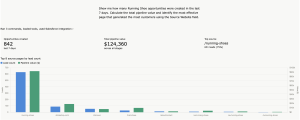
Once it is running, it is genuinely impressive. Claude can answer “which opportunities have had no activity in 30 days” or “summarise the last three interactions with a specific client” without you writing a single query. For anyone who spends time in Salesforce, it reduces friction in a way that quickly feels indispensable.
Just go in with your eyes open about the security model.

Leave a Reply

Your email address will not be published. Required fields are marked *